
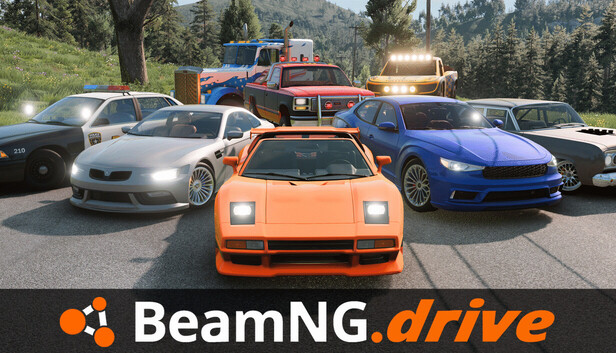
If you want to cruise, drift, or crash with friends in BeamNG.drive, learning how to make a BeamMP server is the best way to get a private multiplayer session under your control. BeamMP is the main multiplayer solution for BeamNG.drive, and setting up your own server gives you more flexibility than just joining random public lobbies.
This guide covers what you need to make a BeamMP server, what the setup usually looks like, and the main things to check if your friends cannot connect. If you would rather skip the self-managed route, our BeamMP server hosting guide compares hosted options.
What Is BeamMP?
BeamMP is the multiplayer mod platform most BeamNG.drive players use to play online with friends. It lets you join public servers, create private sessions, and host your own BeamMP server with custom settings.
That makes it the easiest path to BeamNG multiplayer if you want:
- a private server for your group
- control over mods and settings
- a stable place to test maps or vehicles
- a more consistent session than hopping between public servers
If you are starting from scratch with multiplayer in general, you can also read our existing guide on how to play BeamNG multiplayer with friends using BeamMP.
What You Need Before You Make a BeamMP Server
Before you set up a BeamMP server, make sure you have:
- a working copy of BeamNG.drive on Steam
- the BeamMP client installed for actually joining multiplayer
- a machine to host the server on
- enough upload bandwidth for your expected players
- basic comfort editing config files
If your goal is just playing with one or two friends occasionally, local hosting can be enough. If you want a server that stays online all the time, hosted infrastructure usually makes more sense.
How To Make a BeamMP Server
The exact BeamMP server flow can change over time, but the overall process is usually straightforward.
1. Create a BeamMP account if needed
BeamMP uses its own ecosystem for multiplayer features, so make sure you have the account access you need before trying to host.
If you already use BeamMP to join servers, you are probably most of the way there.
2. Download the BeamMP server files
To make a BeamMP server, you need the dedicated server package rather than just the BeamMP client that launches multiplayer from BeamNG.drive.
Use the official BeamMP resources to get the current server package and avoid random mirrors where possible.
This is important because client multiplayer access and server hosting are related, but they are not the same thing.
3. Extract the server files into a clean folder
Create a dedicated folder for your BeamMP server and extract the files there.
Keeping the server separate from your main BeamNG.drive install makes troubleshooting easier later, especially if you start adding mods or changing configs.
A clean folder structure also makes updates less annoying.
4. Edit the server config
Most BeamMP servers rely on a config file where you set basic details such as:
- server name
- max players
- authentication key or account-linked settings
- map or environment choices
- mod-related settings if supported by your setup
Take your time here. A lot of server problems come from tiny config mistakes, not from BeamMP itself.
5. Start the server and watch the console output
Once the config is in place, launch the server process and watch its output.
What you are looking for is simple:
- no startup errors
- no auth/config complaints
- confirmation that the server is live and ready for connections
If it fails immediately, check the config before changing anything else.
6. Connect from the BeamMP client
After the server is running, open BeamMP from your normal BeamNG.drive multiplayer setup and search for your server or connect with the details your setup requires.
If you can join locally but your friends cannot, the problem is usually networking rather than the BeamMP server itself.
Common BeamMP Server Problems
Here are the issues most people run into first.
Friends cannot see the server
If the server starts but does not appear for other players, check:
- whether the server is actually online
- whether the config is valid
- whether your host machine firewall is blocking traffic
- whether the required ports are open and forwarded if you are hosting from home
If you have dealt with router forwarding in other survival games, the process is very similar. Our Palworld port forwarding guide covers the general workflow.
Mods are causing mismatches
BeamMP sessions can get messy fast if the server and players are not aligned on mods.
If people fail to join or experience weird behavior:
- remove extra mods temporarily
- test with a simpler server setup
- reintroduce changes one by one
That is usually faster than trying to debug ten moving parts at once.
The host machine is not stable enough
BeamNG physics is demanding, and multiplayer adds more complexity.
If the server is laggy or inconsistent, the issue may be:
- weak host hardware
- poor internet upload
- too many players for the setup
- too many added assets or mods
That is one reason many groups eventually move from home hosting to a rented server.
Should You Self-Host a BeamMP Server?
Self-hosting is fine if you:
- want a private casual server
- do not mind some setup work
- already have a decent PC and internet connection
- only need the server online when you are using it
Hosted BeamMP server hosting is better if you:
- want the server online 24/7
- want better uptime
- do not want to babysit router or firewall settings
- expect more players or heavier mod usage
If you are comparing options, our BeamMP server hosting page is the natural next step.
BeamMP Server vs Just Joining Public Multiplayer
Joining a public server is obviously faster, but running your own server gives you much more control.
That includes things like:
- who joins
- what map or style you want
- whether the server is chaos or organized driving
- how much mod experimentation you want to allow
For a friend group that plays regularly, a private BeamMP server usually ends up being the better experience.
For official downloads and current server resources, check the BeamMP website and the BeamNG.drive Steam page.
Conclusion
If you want to make a BeamMP server, the core process is simple: get the proper server files, configure the server cleanly, launch it, and make sure your networking is set up well enough for other players to connect.
For small private sessions, self-hosting can work well. For longer-running communities or always-online multiplayer, hosted BeamMP infrastructure is usually the easier move.